[php]
$address = $_GET["address"];
$url = "http://maps.google.com/maps/api/geocode/json?address=$address&sensor=false";
$ch = curl_init();
curl_setopt($ch, CURLOPT_URL, $url);
curl_setopt($ch, CURLOPT_RETURNTRANSFER, 1);
curl_setopt($ch, CURLOPT_PROXYPORT, 3128);
curl_setopt($ch, CURLOPT_SSL_VERIFYHOST, 0);
curl_setopt($ch, CURLOPT_SSL_VERIFYPEER, 0);
$response = curl_exec($ch);
curl_close($ch);
$response_a = json_decode($response);
echo "您的地址:".$address."<br/>";
echo "所在的經度(latitude):".$lat = $response_a->results[0]->geometry->location->lat;
echo "<br />";
echo "所在的緯度(longitude):".$long = $response_a->results[0]->geometry->location->lng;
[/php]
分類: PHP
Delphi 搭配 CodeIgniter上傳檔案
php端
[php]
$str_no = $this->input->post(‘strid’);
$filename1 = $this->input->post(‘filename’);
$config[‘upload_path’] = ‘./uploads/’;
$new_name = $str_no.’-‘.$filename1;
$config[‘file_name’] = $new_name;
$config[‘allowed_types’] = ‘*’;
$config[‘max_size’] = ‘1000000000’;
$this->load->library(‘upload’,$config);
if ( ! $this->upload->do_upload(‘myfile’))
{
$error = array(‘error’ => $this->upload->display_errors());
}
else{
$data = array(‘upload_data’ => $this->upload->data());
print_r($data);
}
[php]
Delphi
use IdMultipartFormData
var
PostData: TIdMultipartFormDataStream;
begin
PostData := TIdMultipartFormDataStream.Create;
try
PostData.AddFile(‘myfile’, Self.GetApplicationPath + ‘\file.ini’);
PostData.AddFormField(‘strid’,’999′);
PostData.AddFormField(‘filename’,’file.ini’);
idhttp1.Post(‘http://xxxx/Home/upload/’, PostData)
finally
PostData.Free;
end;
CodeIgniter使用slug
因為CodeIgniter有優美的uri顯示方式,很適合實作像Wordpress的slug功能。那實作方式也很簡單~
[php]
welcome.php
public function view($slug){
$slug=urldecode($slug);
echo $slug;
}
[/php]
[php]
rotes.php
$route[‘(:any)’] = ‘welcome/view/$1’;
[/php]
Microsoft Drivers for PHP for SQL Server支援PHP7.0
記得之前提過XAMPP支援php連線SQL Server,當時只支援到5.6。但最近因為PHP7.0已釋出後,所以微軟也發佈了支援PHP7.0的4.0版本。
目前支援的版本如下:
Version 4.0 supports PHP 7.0+
Version 3.2 supports PHP 5.6, 5.5, and 5.4
Version 3.1 supports PHP 5.5 and 5.4
Version 3.0 supports PHP 5.4.
下載連結
https://www.microsoft.com/en-us/download/details.aspx?id=20098
模板引擎Twig~

CodeIgniter 4 里程碑第一階段達成

2015年ci開發團隊宣佈了CodeIgniter4.0的開發藍圖後,2016/6/24在官方論壇宣布達成里程碑第一階段「CodeIgniter4.0.0-dev Reaches Milestone 1」。
依照藍圖的話就是完成下列的修正:
- Autoloader
- Dependency Injection
- Logging
- Exception Handling
- HTTP Request/Response Layers (or Input/Output)
- Routing
- Controllers
- Models
- Database Layer
- Config
- Security
利用Cpanel API建立子網域

因為租用虛擬主機時有cPanel後台,又因為太過於懶惰,不想進入程式設定。
幸好cPanel有提供API
下載Cpanel的XML-API.php
[php]
<?php require_once(‘./xmlapi.php’); $cpanelusr = ‘xxxx’; //您的cPanel帳號 $cpanelpass = ‘xxx’; //您的cPanel密碼 $domainroot = ‘xxxx.com.tw’; //網域名稱 $subdomain = ‘abc’; //建立的子網域名稱 $xmlapi = new xmlapi(‘localhost’); //ip or localhost $xmlapi->set_port( 2083 ); //建立port
$xmlapi->password_auth($cpanelusr,$cpanelpass);
$xmlapi->set_debug(0);
$xmlapi->api1_query($cpanelusr, ‘SubDomain’, ‘addsubdomain’, array($subdomain, $domainroot,0,0, "/public_html/{$subdomain}"));
echo ‘子網域建立成功’;
?>
[/php]
一直很喜歡它的主機服務。推給大家
遠振主機
網址:
https://host.com.tw
facebook寫自動貼文程式時access token權杖時效問題
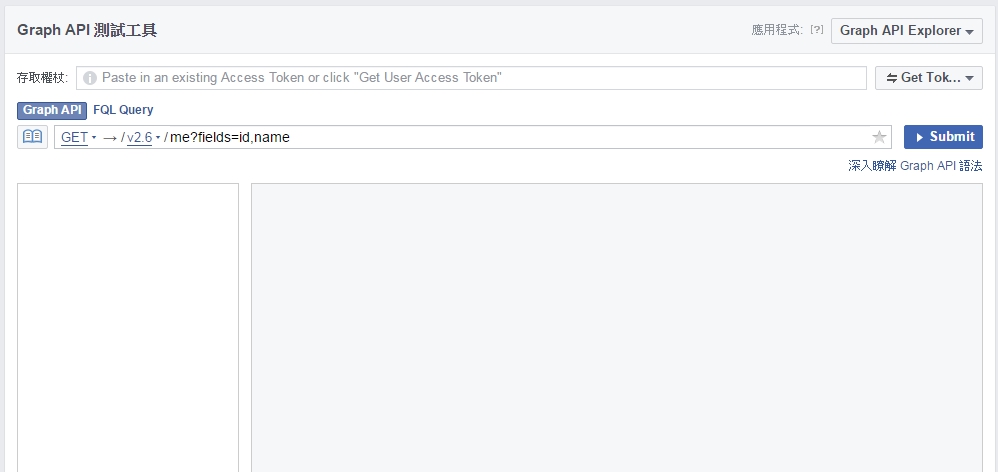
在寫facebook的自動貼文或程式時,需要有access token,但access token的時效不長。該如何延長時間?
1
進入Graph API測試工具(https://developers.facebook.com/tools/explorer/)取得暫時性的權杖。
2
透過下列網址將APP_ID APP_SECRET ACCESS_TOKEN置換成對應的值
https://graph.facebook.com/oauth/access_token? client_id={APP_ID}& client_secret={APP_SECRET}& fb_exchange_token={SHORTLIVED_ACCESS_TOKEN}& grant_type=fb_exchange_token
3
如果還不行,可以利用Access Token Debugger工具(https://developers.facebook.com/tools/debug/access_token/),將暫時性的權杖輸入後,也可以取得長效(60天)的token。
那如何驗證過期與否重取得??官方給了做法
[php]
<?php
$app_id = "YOUR_APP_ID";
$app_secret = "YOUR_APP_SECRET";
$my_url = "YOUR_POST_LOGIN_URL";
// known valid access token stored in a database
$access_token = "YOUR_STORED_ACCESS_TOKEN";
$code = $_REQUEST["code"];
// If we get a code, it means that we have re-authed the user
//and can get a valid access_token.
if (isset($code)) {
$token_url="https://graph.facebook.com/oauth/access_token?client_id="
. $app_id . "&redirect_uri=" . urlencode($my_url)
. "&client_secret=" . $app_secret
. "&code=" . $code . "&display=popup";
$response = file_get_contents($token_url);
$params = null;
parse_str($response, $params);
$access_token = $params[‘access_token’];
}
// Attempt to query the graph:
$graph_url = "https://graph.facebook.com/me?"
. "access_token=" . $access_token;
$response = curl_get_file_contents($graph_url);
$decoded_response = json_decode($response);
//Check for errors
if ($decoded_response->error) {
// check to see if this is an oAuth error:
if ($decoded_response->error->type== "OAuthException") {
// Retrieving a valid access token.
$dialog_url= "https://www.facebook.com/dialog/oauth?"
. "client_id=" . $app_id
. "&redirect_uri=" . urlencode($my_url);
echo("<script> top.location.href=’" . $dialog_url
. "'</script>");
}
else {
echo "other error has happened";
}
}
else {
// success
echo("success" . $decoded_response->name);
echo($access_token);
}
// note this wrapper function exists in order to circumvent PHP’s
//strict obeying of HTTP error codes. In this case, Facebook
//returns error code 400 which PHP obeys and wipes out
//the response.
function curl_get_file_contents($URL) {
$c = curl_init();
curl_setopt($c, CURLOPT_RETURNTRANSFER, 1);
curl_setopt($c, CURLOPT_URL, $URL);
$contents = curl_exec($c);
$err = curl_getinfo($c,CURLINFO_HTTP_CODE);
curl_close($c);
if ($contents) return $contents;
else return FALSE;
}
?>
[/php]
參考:
https://developers.facebook.com/blog/post/2011/05/13/how-to–handle-expired-access-tokens/
Windows安裝Xampp、Composer、laravel
1.安裝Composer
https://getcomposer.org/
Windows版本直接下載
2.下載XAMPP(解壓縮版),解壓縮到D:\xampp
XAMPP
XAMPP直接下載
3.新增PHP到系統變數
set PATH=%PATH%;d:\xampp\php
另外修改:
extension_dir = “d:\xampp\php\ext”
browscap = “d:\xampp\php\extras\browscap.ini”
4.更新Composer版本
D:\xampp\php>php.exe c:\programdata\composersetup\bin\composer.phar self-update
5.在xampp裡建立一個新的專案叫laraveltest
D:\xampp\htdocs>composer create-project laravel/laravel laraveltest
D:\xampp\htdocs>composer create-project laravel/laravel laraveltest
Installing laravel/laravel (v5.2.0)
– Installing laravel/laravel (v5.2.0)
Downloading: 100%
Created project in laraveltest
> php -r “copy(‘.env.example’, ‘.env’);”
Loading composer repositories with package information
Installing dependencies (including require-dev)
– Installing vlucas/phpdotenv (v2.2.0)
Downloading: 100%
– Installing symfony/polyfill-mbstring (v1.1.0)
Downloading: 100%
– Installing symfony/var-dumper (v3.0.2)
Downloading: 100%
– Installing symfony/translation (v3.0.2)
Downloading: 100%
– Installing symfony/routing (v3.0.2)
Downloading: 100%
– Installing symfony/process (v3.0.2)
Downloading: 100%
– Installing symfony/polyfill-util (v1.1.0)
Downloading: 100%
– Installing symfony/polyfill-php56 (v1.1.0)
Downloading: 100%
– Installing psr/log (1.0.0)
Downloading: 100%
– Installing symfony/debug (v3.0.2)
Downloading: 100%
– Installing symfony/http-foundation (v3.0.2)
Downloading: 100%
– Installing symfony/event-dispatcher (v3.0.2)
Downloading: 100%
– Installing symfony/http-kernel (v3.0.2)
Downloading: 100%
– Installing symfony/finder (v3.0.2)
Downloading: 100%
– Installing symfony/console (v3.0.2)
Downloading: 100%
– Installing swiftmailer/swiftmailer (v5.4.1)
Downloading: 100%
– Installing jakub-onderka/php-console-color (0.1)
Downloading: 100%
– Installing jakub-onderka/php-console-highlighter (v0.3.2)
Downloading: 100%
– Installing dnoegel/php-xdg-base-dir (0.1)
Downloading: 100%
– Installing nikic/php-parser (v2.0.0)
Downloading: 100%
– Installing psy/psysh (v0.6.1)
Downloading: 100%
– Installing paragonie/random_compat (v1.2.0)
Downloading: 100%
– Installing nesbot/carbon (1.21.0)
Downloading: 100%
– Installing mtdowling/cron-expression (v1.1.0)
Downloading: 100%
– Installing monolog/monolog (1.17.2)
Downloading: 100%
– Installing league/flysystem (1.0.16)
Downloading: 100%
– Installing jeremeamia/superclosure (2.2.0)
Downloading: 100%
– Installing doctrine/inflector (v1.1.0)
Downloading: 100%
– Installing classpreloader/classpreloader (3.0.0)
Downloading: 100%
– Installing laravel/framework (v5.2.14)
Downloading: 100%
– Installing fzaninotto/faker (v1.5.0)
Downloading: 100%
– Installing hamcrest/hamcrest-php (v1.2.2)
Downloading: 100%
– Installing mockery/mockery (0.9.4)
Downloading: 100%
– Installing sebastian/version (1.0.6)
Downloading: 100%
– Installing sebastian/global-state (1.1.1)
Downloading: 100%
– Installing sebastian/recursion-context (1.0.2)
Downloading: 100%
– Installing sebastian/exporter (1.2.1)
Downloading: 100%
– Installing sebastian/environment (1.3.3)
Downloading: 100%
– Installing sebastian/diff (1.4.1)
Downloading: 100%
– Installing sebastian/comparator (1.2.0)
Downloading: 100%
– Installing symfony/yaml (v3.0.2)
Downloading: 100%
– Installing doctrine/instantiator (1.0.5)
Downloading: 100%
– Installing phpdocumentor/reflection-docblock (2.0.4)
Downloading: 100%
– Installing phpspec/prophecy (v1.5.0)
Downloading: 100%
– Installing phpunit/php-text-template (1.2.1)
Downloading: 100%
– Installing phpunit/phpunit-mock-objects (2.3.8)
Downloading: 100%
– Installing phpunit/php-timer (1.0.7)
Downloading: 100%
– Installing phpunit/php-token-stream (1.4.8)
Downloading: 100%
– Installing phpunit/php-file-iterator (1.4.1)
Downloading: 100%
– Installing phpunit/php-code-coverage (2.2.4)
Downloading: 100%
– Installing phpunit/phpunit (4.8.23)
Downloading: 100%
– Installing symfony/css-selector (v3.0.2)
Downloading: 100%
– Installing symfony/dom-crawler (v3.0.2)
Downloading: 100%
symfony/var-dumper suggests installing ext-symfony_debug ()
symfony/translation suggests installing symfony/config ()
symfony/routing suggests installing symfony/config (For using the all-in-one rou
ter or any loader)
symfony/routing suggests installing symfony/expression-language (For using expre
ssion matching)
symfony/routing suggests installing doctrine/annotations (For using the annotati
on loader)
symfony/routing suggests installing symfony/dependency-injection (For loading ro
utes from a service)
symfony/event-dispatcher suggests installing symfony/dependency-injection ()
symfony/http-kernel suggests installing symfony/browser-kit ()
symfony/http-kernel suggests installing symfony/class-loader ()
symfony/http-kernel suggests installing symfony/config ()
symfony/http-kernel suggests installing symfony/dependency-injection ()
psy/psysh suggests installing ext-pcntl (Enabling the PCNTL extension makes PsyS
H a lot happier :))
psy/psysh suggests installing ext-posix (If you have PCNTL, you’ll want the POSI
X extension as well.)
psy/psysh suggests installing ext-readline (Enables support for arrow-key histor
y navigation, and showing and manipulating command history.)
psy/psysh suggests installing ext-pdo-sqlite (The doc command requires SQLite to
work.)
paragonie/random_compat suggests installing ext-libsodium (Provides a modern cry
pto API that can be used to generate random bytes.)
monolog/monolog suggests installing graylog2/gelf-php (Allow sending log message
s to a GrayLog2 server)
monolog/monolog suggests installing raven/raven (Allow sending log messages to a
Sentry server)
monolog/monolog suggests installing doctrine/couchdb (Allow sending log messages
to a CouchDB server)
monolog/monolog suggests installing ruflin/elastica (Allow sending log messages
to an Elastic Search server)
monolog/monolog suggests installing videlalvaro/php-amqplib (Allow sending log m
essages to an AMQP server using php-amqplib)
monolog/monolog suggests installing ext-amqp (Allow sending log messages to an A
MQP server (1.0+ required))
monolog/monolog suggests installing ext-mongo (Allow sending log messages to a M
ongoDB server)
monolog/monolog suggests installing aws/aws-sdk-php (Allow sending log messages
to AWS services like DynamoDB)
monolog/monolog suggests installing rollbar/rollbar (Allow sending log messages
to Rollbar)
monolog/monolog suggests installing php-console/php-console (Allow sending log m
essages to Google Chrome)
league/flysystem suggests installing ext-fileinfo (Required for MimeType)
league/flysystem suggests installing league/flysystem-eventable-filesystem (Allo
ws you to use EventableFilesystem)
league/flysystem suggests installing league/flysystem-rackspace (Allows you to u
se Rackspace Cloud Files)
league/flysystem suggests installing league/flysystem-copy (Allows you to use Co
py.com storage)
league/flysystem suggests installing league/flysystem-azure (Allows you to use W
indows Azure Blob storage)
league/flysystem suggests installing league/flysystem-webdav (Allows you to use
WebDAV storage)
league/flysystem suggests installing league/flysystem-aws-s3-v2 (Allows you to u
se S3 storage with AWS SDK v2)
league/flysystem suggests installing league/flysystem-aws-s3-v3 (Allows you to u
se S3 storage with AWS SDK v3)
league/flysystem suggests installing league/flysystem-dropbox (Allows you to use
Dropbox storage)
league/flysystem suggests installing league/flysystem-cached-adapter (Flysystem
adapter decorator for metadata caching)
league/flysystem suggests installing league/flysystem-sftp (Allows you to use SF
TP server storage via phpseclib)
league/flysystem suggests installing league/flysystem-ziparchive (Allows you to
use ZipArchive adapter)
laravel/framework suggests installing aws/aws-sdk-php (Required to use the SQS q
ueue driver and SES mail driver (~3.0).)
laravel/framework suggests installing doctrine/dbal (Required to rename columns
and drop SQLite columns (~2.4).)
laravel/framework suggests installing guzzlehttp/guzzle (Required to use the Mai
lgun and Mandrill mail drivers and the ping methods on schedules (~5.3|~6.0).)
laravel/framework suggests installing league/flysystem-aws-s3-v3 (Required to us
e the Flysystem S3 driver (~1.0).)
laravel/framework suggests installing league/flysystem-rackspace (Required to us
e the Flysystem Rackspace driver (~1.0).)
laravel/framework suggests installing pda/pheanstalk (Required to use the beanst
alk queue driver (~3.0).)
laravel/framework suggests installing predis/predis (Required to use the redis c
ache and queue drivers (~1.0).)
laravel/framework suggests installing pusher/pusher-php-server (Required to use
the Pusher broadcast driver (~2.0).)
fzaninotto/faker suggests installing ext-intl (*)
sebastian/global-state suggests installing ext-uopz (*)
phpdocumentor/reflection-docblock suggests installing dflydev/markdown (~1.0)
phpdocumentor/reflection-docblock suggests installing erusev/parsedown (~1.0)
phpunit/php-code-coverage suggests installing ext-xdebug (>=2.2.1)
phpunit/phpunit suggests installing phpunit/php-invoker (~1.1)
Writing lock file
Generating autoload files
> php artisan clear-compiled
> php artisan optimize
Generating optimized class loader
> php artisan key:generate
Application key [CZbM380YshFe0R8UK5zFMlYvL2Xa1WPG] set successfully.
6.跑完後,可以到下面網址看
http://localhost/laraveltest/public/
Laravel5上傳虛擬主機
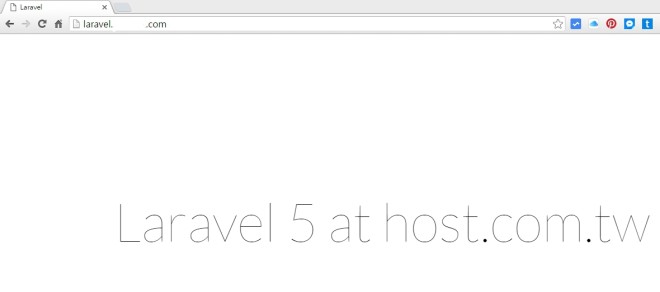
一直找不到Laravel5上傳虛擬主機的方式,一方面也是自己對Laravel沒有像Codeigniter這麼清楚。
於是昨天先試著將Laravel5的執行目錄搬到根目錄下,然後再將它上傳到遠振虛擬主機。終於把這個簡潔、優雅為網頁藝術家創造的PHP 框架上傳上去了。(不過不能直接在虛擬主機執行composer安裝)
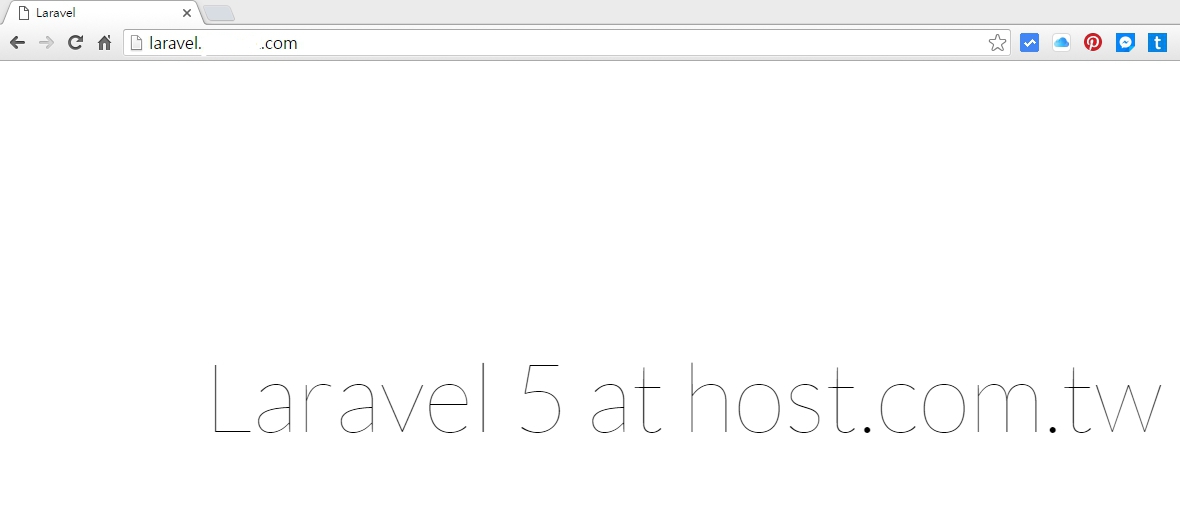
遠振虛擬主機租用 >> 遠振資訊官方網站
注意: php的版本要在5.5.9以上的版本(遠振虛擬主機可以選擇5.5、5.6跟最新的7.0)