Delphi XE5封裝了一些Android相關的api
Androidapi.Jni
Androidapi.JNI.Os
Androidapi.JNI.JavaTypes
Androidapi.JNIBridge
Androidapi.JNI.App
如果在程式中需要呼叫其他的.apk 或 .jar的話呢~則需要使用到
Androidapi.JNI.Dalvik
Androidapi.JNI.GraphicsContentViewText
FMX.Helpers.Android
大型網站架構..net 架構師.rabbitMQ.redis.行動開發.APP開發教學.PHP Laravel開發..net core C# 開發.架構師之路.Delphi開發.資料庫程式.進銷存.餐飲POS系統
Delphi XE5封裝了一些Android相關的api
Androidapi.Jni
Androidapi.JNI.Os
Androidapi.JNI.JavaTypes
Androidapi.JNIBridge
Androidapi.JNI.App
如果在程式中需要呼叫其他的.apk 或 .jar的話呢~則需要使用到
Androidapi.JNI.Dalvik
Androidapi.JNI.GraphicsContentViewText
FMX.Helpers.Android
由李維大師所主持的Delphi XE5深入技術研討會,研討會過後二天,台灣QCom(捷康)就寄來了相關的文件了!
• 瞭解 Delphi XE5 如何在 Android / iOS 環境中運行
• 通往 Android / iOS 環境的重要觀念,類別 / 介面和方法
• 動態呼叫?靜態呼叫?
• 會使用下列幾個實例來說明:
– Delphi XE5 未封裝的 API
– BlueTooth
– Bar Code
– 其他第 3 方函式庫
延伸閱讀:
李維大師部落格 IT : 是工作還是嗜好?
捷康科技/Embarcadero 應用程式開發工具 http://embarcadero.qcomgroup.com.tw/
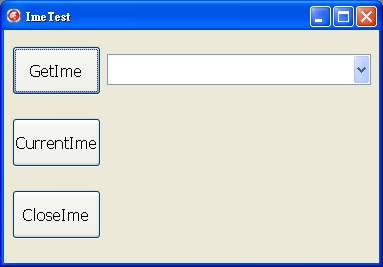
由於微軟內附的螢幕小鍵盤還真的有點小,加上POS餐飲系統開發需要螢幕小鍵盤,所以乾脆自己寫一個”大”鍵盤。
裡面需要做輸入法的切換,所以分享給大家。
需要Uses到Winapi.imm;
[pascal]
Uses Winapi.Imm;
[/pascal]
1取得所有的輸入法名稱
[pascal]
var
i: integer;
begin
for i := 0 to screen.imes.count – 1 do
begin
ComBoBox1.Items.Add(screen.Imes.strings[i]);
end;
end;
[/pascal]
2切換到輸入法
[pascal]
var
I: integer;
myhkl: hkl;
begin
if ComboBox1.Text <> ” then
begin
if Screen.Imes.Count <> 0 then
begin
I := screen.Imes.indexof(ComboBox1.Text);
if I >= 0 then
myhkl := hkl(screen.Imes.objects[i]);
activatekeyboardlayout(myhkl, KLF_ACTIVATE);
end;
end;
end;
[/pascal]
3關閉輸入法
[pascal]
begin
ImmSimulateHotKey(Handle, IME_THOTKEY_IME_NONIME_TOGGLE);
ComBobox1.Text := ”;
end;
[/pascal]
4取得目前輸入法
[pascal]
var
IMEHandle: THandle;
Idx: Integer;
IMEName: String;
begin
IMEName := ”;
ImeHandle := GetKeyBoardLayOut(0);
for Idx := 0 to Pred(Screen.Imes.Count) do
if HKL(Screen.Imes.Objects[Idx]) = ImeHandle then
IMEName :=Screen.Imes[Idx];
ShowMessage(IMEName);
end;
[/pascal]
GitHub連結: https://github.com/superlevin/DelphiIme
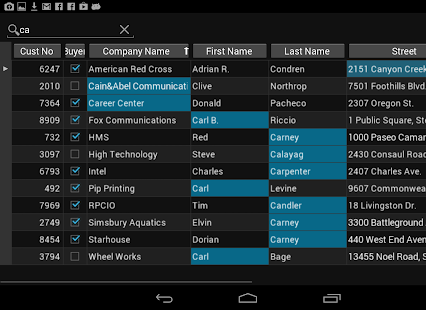
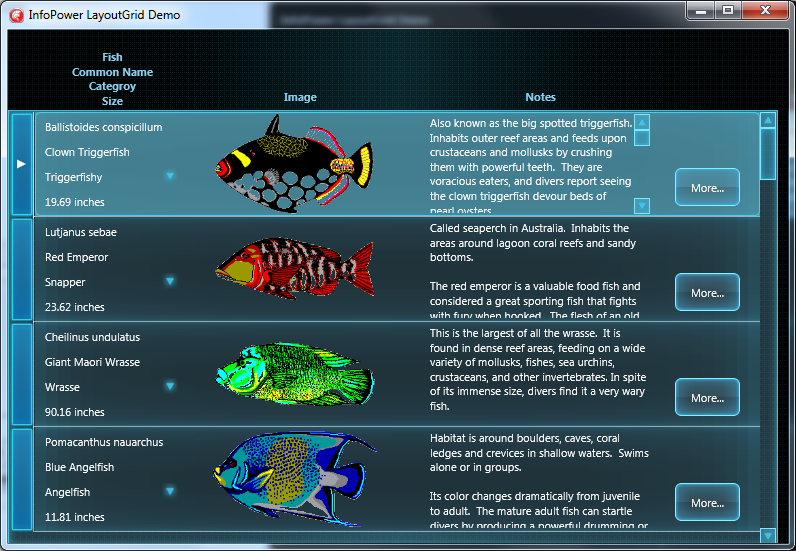
InfoPower是一套資料庫開發的元件,現在Woll2Woll Software也將它搬上FireMonkey並且支援Android了!
它們也在Googleplay上放了一個InfoPower FireMonkey Demo 的app讓大家下載試用。
不過壽山看來怎麼好像是在Android上跑Windows 呢?大家可以試看看好了!
相關連結:
Woll2Woll Software website : http://www.woll2woll.com/infopower.html
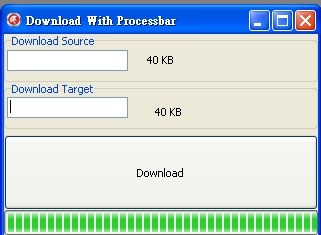
在更新程式時,需要知道目前下載到多少百分比及大小怎麼做?
在Delphi使用idhttp及IdAntiFreeze(防止程式看起來當掉)二個元件就可以做得到。順便列下關鍵程式碼
[pascal]
procedure TForm1.BtnDownloadClick(Sender: TObject);
var
tStream: TMemoryStream;
begin
tStream := TMemoryStream.Create;
try
IdHTTP1.Get(EdtSource.Text, tStream);
tStream.SaveToFile(EdtTarget.Text);
ShowMessage(‘Download Success!’);
except
ShowMessage(‘Download Fail!’);
end;
tStream.Free;
end;
procedure TForm1.IdHTTP1Work(ASender: TObject; AWorkMode: TWorkMode;
AWorkCount: Int64);
begin
Label1.Caption := BytesToStr(aWorkCount);
ProgressBar1.Position := aWorkCount;
Update;
end;
procedure TForm1.IdHTTP1WorkBegin(ASender: TObject; AWorkMode: TWorkMode;
AWorkCountMax: Int64);
begin
ProgressBar1.Max := aWorkCountMax; // Set File total size
Label2.Caption := BytesToStr(aWorkCountMax);
Update;
end;
[/pascal]
Github原始碼下載 : https://github.com/superlevin/downloadwithprocessbar
早上在寫註冊機程式,不過遇到php的ord函數遇到utf8時無法運作的冏境。
找到了一個解決方式,另外寫了一個delphi xe5的ord函數比對確定無誤。
來源: phpkode
[php]
function utf8_ord($chr) {
$ord0 = ord($chr);
if ( $ord0 >= 0 && $ord0 <= 127 ) {
return $ord0;
}
if ( !isset($chr{1}) ) {
trigger_error(‘Short sequence – at least 2 bytes expected, only 1 seen’);
return FALSE;
}
$ord1 = ord($chr{1});
if ( $ord0 >= 192 && $ord0 <= 223 ) {
return ( $ord0 – 192 ) * 64
+ ( $ord1 – 128 );
}
if ( !isset($chr{2}) ) {
trigger_error(‘Short sequence – at least 3 bytes expected, only 2 seen’);
return FALSE;
}
$ord2 = ord($chr{2});
if ( $ord0 >= 224 && $ord0 <= 239 ) {
return ($ord0-224)*4096
+ ($ord1-128)*64
+ ($ord2-128);
}
if ( !isset($chr{3}) ) {
trigger_error(‘Short sequence – at least 4 bytes expected, only 3 seen’);
return FALSE;
}
$ord3 = ord($chr{3});
if ($ord0>=240 && $ord0<=247) {
return ($ord0-240)*262144
+ ($ord1-128)*4096
+ ($ord2-128)*64
+ ($ord3-128);
}
if ( !isset($chr{4}) ) {
trigger_error(‘Short sequence – at least 5 bytes expected, only 4 seen’);
return FALSE;
}
$ord4 = ord($chr{4});
if ($ord0>=248 && $ord0<=251) {
return ($ord0-248)*16777216
+ ($ord1-128)*262144
+ ($ord2-128)*4096
+ ($ord3-128)*64
+ ($ord4-128);
}
if ( !isset($chr{5}) ) {
trigger_error(‘Short sequence – at least 6 bytes expected, only 5 seen’);
return FALSE;
}
if ($ord0>=252 && $ord0<=253) {
return ($ord0-252) * 1073741824
+ ($ord1-128)*16777216
+ ($ord2-128)*262144
+ ($ord3-128)*4096
+ ($ord4-128)*64
+ (ord($c{5})-128);
}
if ( $ord0 >= 254 && $ord0 <= 255 ) {
trigger_error(‘Invalid UTF-8 with surrogate ordinal ‘.$ord0);
return FALSE;
}
}
[/php]
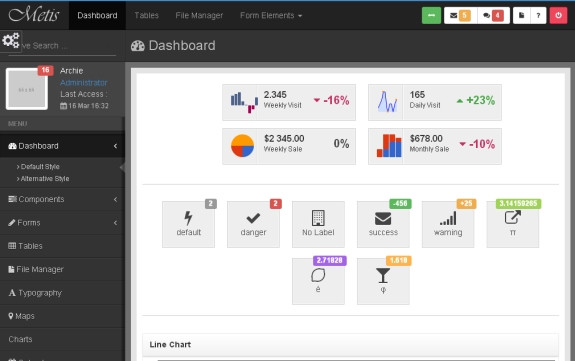
網站不可或缺的就是後台程式,不過後台其實不用像前台如此麻煩,我都喜歡直接找現成的使用,這邊就跟大家分享我喜歡用的二種基於bootstrap的後台模板,提供大家做為參考選用!
網址:http://demo.onokumus.com/metis/index.html
網址:http://usman.it/themes/charisma/

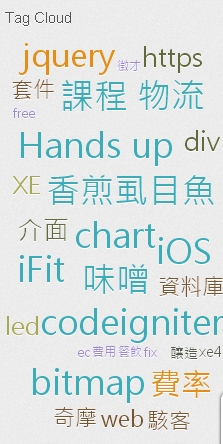
WordPress自從新版本後,就內建了標籤雲的功能。可以到外觀→小工具中拖拉標籤雲到側邊欄欲放置的位置就可以,並且可以透過點選標籤跑到自己想看的文章去。聽起來感覺不錯!不過內建的標籤雲真的單調了一點,除了字型大小會不同外,字體的顏色是單一顏色,少了些炫麗的元素。
台灣一位很年輕但鑽精於CSS的設計師Muki在部落格中教導大家「製作不規則形狀的 WordPress 標籤雲」不過還是太複雜了!佛心來著就跟朋友一同將它實作成Wordpress的外掛Muki Tag Cloud 。
結果就如下圖,不規則的排序加上質感且漂亮的顏色,不愧是設計師出身。
更多介紹就請自己轉台到原作者的介紹網頁「漂亮的 WordPress 標籤雲外掛: Muki Tag Cloud」。
延伸閱讀:
PHP合作設計者Mesak-[Plugin] WordPress 標籤雲外掛: Muki Tag Cloud
原作者Muki漂亮的 WordPress 標籤雲外掛: Muki Tag Cloud
國外的工程師利用 Delphi XE5 操作 Digifort IP 監控系統並取得監視畫面,還可以控制門的開關。
XE5開發的好處還是Android與iOS系統通吃。
來源: Jim McKeeth
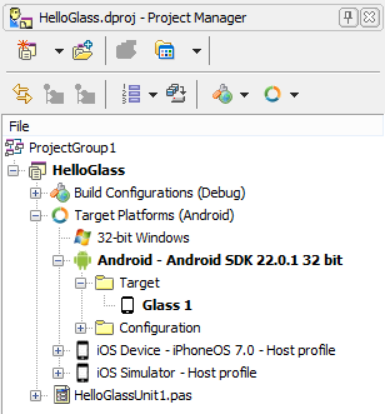
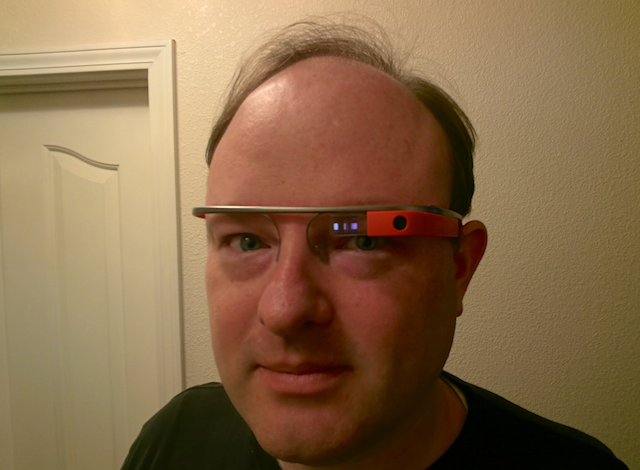
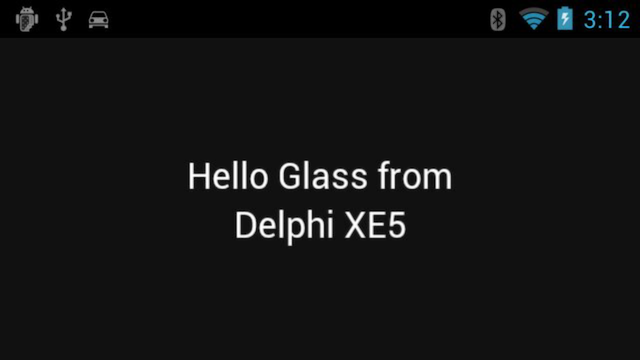
中午看到 Jim McKeeth秀出了他把Delphi XE5開發的程式裝在Google Glass上面了!
利用 SysCheck 找到Google Glass處理器是 ARMv7 PRocessor rev 3 (v71) ,系統版本則是 4.0.4 ,符合 Delphi XE5的需求。
在設計上可以使用 Google Mirror API 或 GDK。
Google Mirror API是基於REST and JSON 的API,可以輕鬆使用Delphi XE5最新的TRESTClient元件做到。