使用asp.net core 開發LINE BOT時,使用ngrok做本機的服務器時,驗證Webhook出現錯誤。ngrok出現 307 Temporary Redirect的錯誤!
解決方式:
Starup.cs中有一句app.UseHttpsRedirection(); 前面加上 // 註解掉就可以了
參考:
ngrok http [port] -host-header="localhost:[port]"大型網站架構..net 架構師.rabbitMQ.redis.行動開發.APP開發教學.PHP Laravel開發..net core C# 開發.架構師之路.Delphi開發.資料庫程式.進銷存.餐飲POS系統
使用asp.net core 開發LINE BOT時,使用ngrok做本機的服務器時,驗證Webhook出現錯誤。ngrok出現 307 Temporary Redirect的錯誤!
解決方式:
Starup.cs中有一句app.UseHttpsRedirection(); 前面加上 // 註解掉就可以了
參考:
ngrok http [port] -host-header="localhost:[port]"2018年12月6日,微軟宣布Microsoft Edge未來將基於Chromium開發後,微軟在新的作業系統中已逐步移除存在已久的IE瀏覽器,取而代之預設為Edge瀏覽器。
10.4也新增了以Edge瀏覽器為主的webbrowser元件來處理,並取代了早先的TWebBrowser。不過,TWebBrowser仍然保留在VCL元件中,但新增了SelectedEngine可以選取Edge的WebView2瀏覽器。
而新增的Edge使用方式也與先前相同
EdgeBrowser1.Navigate('http://superlevin.ifengyuan.tw/');
Delphi內建的mediaplayer似乎無法播放MP4的影片!只好透過系統內的mediaplayer來實作了~
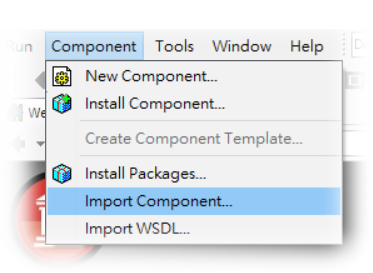
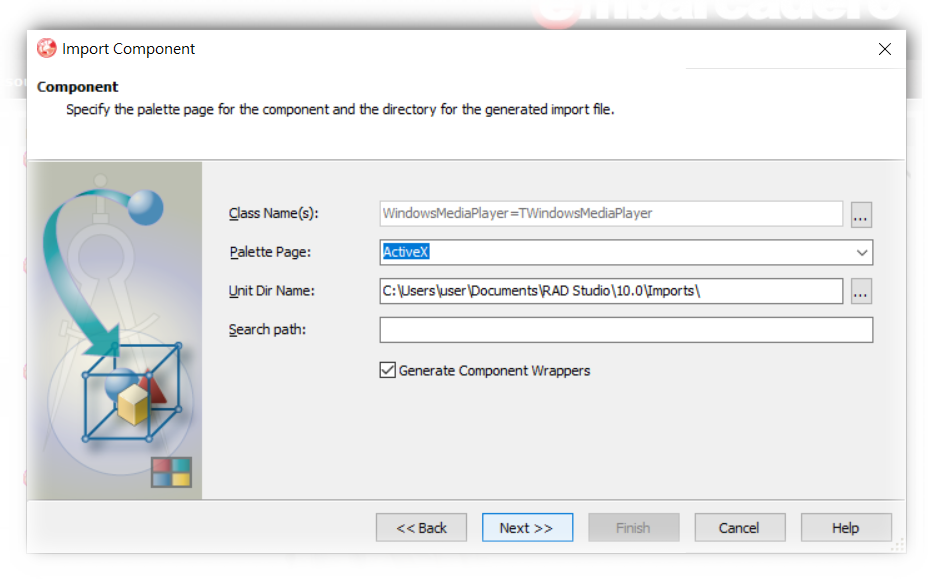
一、Component→Import Component然後選擇ActiveX Control
二、搜尋media,找到Windows Meida Player
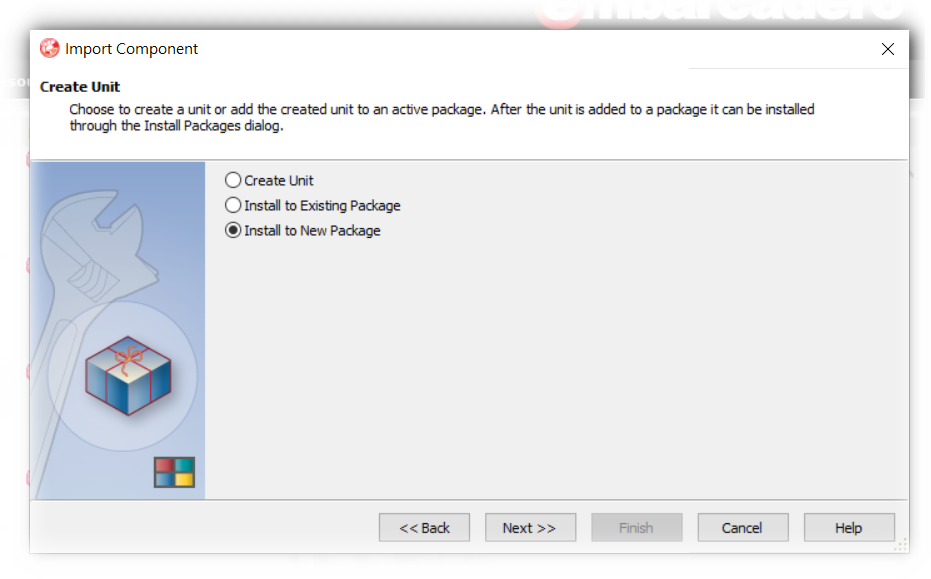
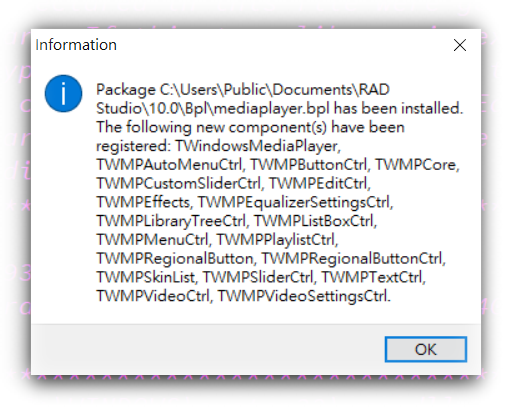
三、原則上就是下一步安裝完成就好
接下來程式的部份
在畫面上放上WindowsMediaPlayer1、Button、Timer、OpenDialog、ProgressBar1。
程式碼如下:
一、
procedure TForm1.FormCreate(Sender: TObject);
begin
WindowsMediaplayer1.uiMode := ‘none’; //不顯示按鈕
end;
二、![]()
procedure TForm1.FormCloseQuery(Sender: TObject; var CanClose: Boolean);
begin
WindowsMediaPlayer1.controls.stop;
end;
三、
procedure TForm1.Button1Click(Sender: TObject);
begin
if opendialog1.Execute then begin
WindowsMediaPlayer1.URL := ‘file://’+opendialog1.FileName;
WindowsMediaplayer1.uiMode := ‘none’;
WindowsMediaPlayer1.controls.play;
end;
end;
四、
procedure TForm1.WindowsMediaPlayer1PlayStateChange(ASender: TObject;
NewState: Integer);
begin
case NewState of
wmppsPlaying: begin
Timer1.Enabled := True;
end;
wmppsStopped,
wmppsPaused: begin
Timer1.Enabled := False;
end;
end;
end;
五、
procedure TForm1.Timer1Timer(Sender: TObject);
var
Duration: double;
Position: double;
begin
Form1.Caption := WindowsMediaPlayer1.controls.currentPositionString
+ ‘ of ‘
+ WindowsMediaPlayer1.currentMedia.durationString;
Duration := WindowsMediaPlayer1.currentMedia.duration;
Position := WindowsMediaPlayer1.controls.currentPosition;
ProgressBar1.Position := Trunc( Position*(Duration/ProgressBar1.Max) );
end;
2018.12.14 Laravel正式發佈了5.7.17的版本。主要是一些新的query builder方法以及偵測MariaDB連線失效的訊息還有改進Postgres增加foreign keys的改進。
新的query builder方法針對INSERT INTO SELECT增加了一個insertUsing的方法。然後呢在SQL HAVING二個值之間多了一個havingBetween。
對新的版本有興趣的朋友,可以參考Laravel上的changelog。
GitHub 5.7 changelog:
v5.7.17
Added
Added Database\Query\Builder::insertUsing method (#26732, 8216b46)
Added Database\Query\Builder::havingBetween method (#26758)
Added Packets out of order. Expected string to DetectsLostConnections trait (#26760)
Added NOT VALID option for skipping validation when adding postgres foreign keys (#26775)
Fixed
Fixed: Using store on an uploaded file when you push an empty file (#26809)
Fixed hiding for hidden commands (#26781)
一、Firebase新增專案(網址: https://console.firebase.google.com )
二、專案名稱可自訂,訂定後按建立專案
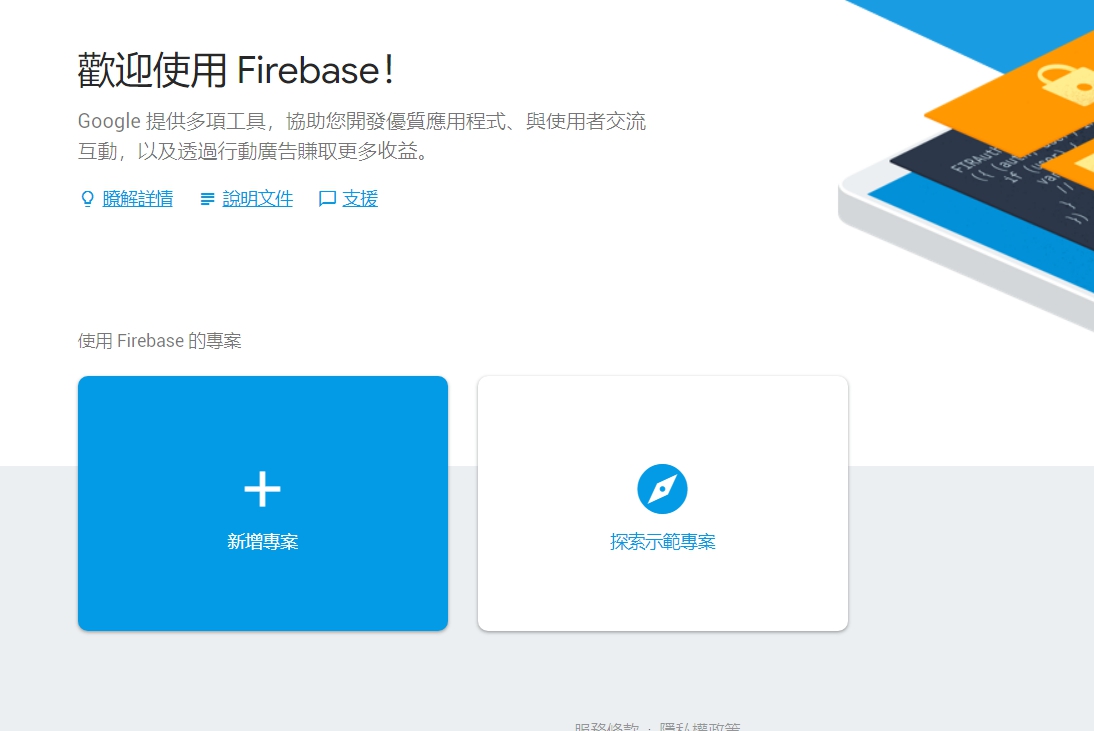
三、建立完專案後,點選中間android的連結
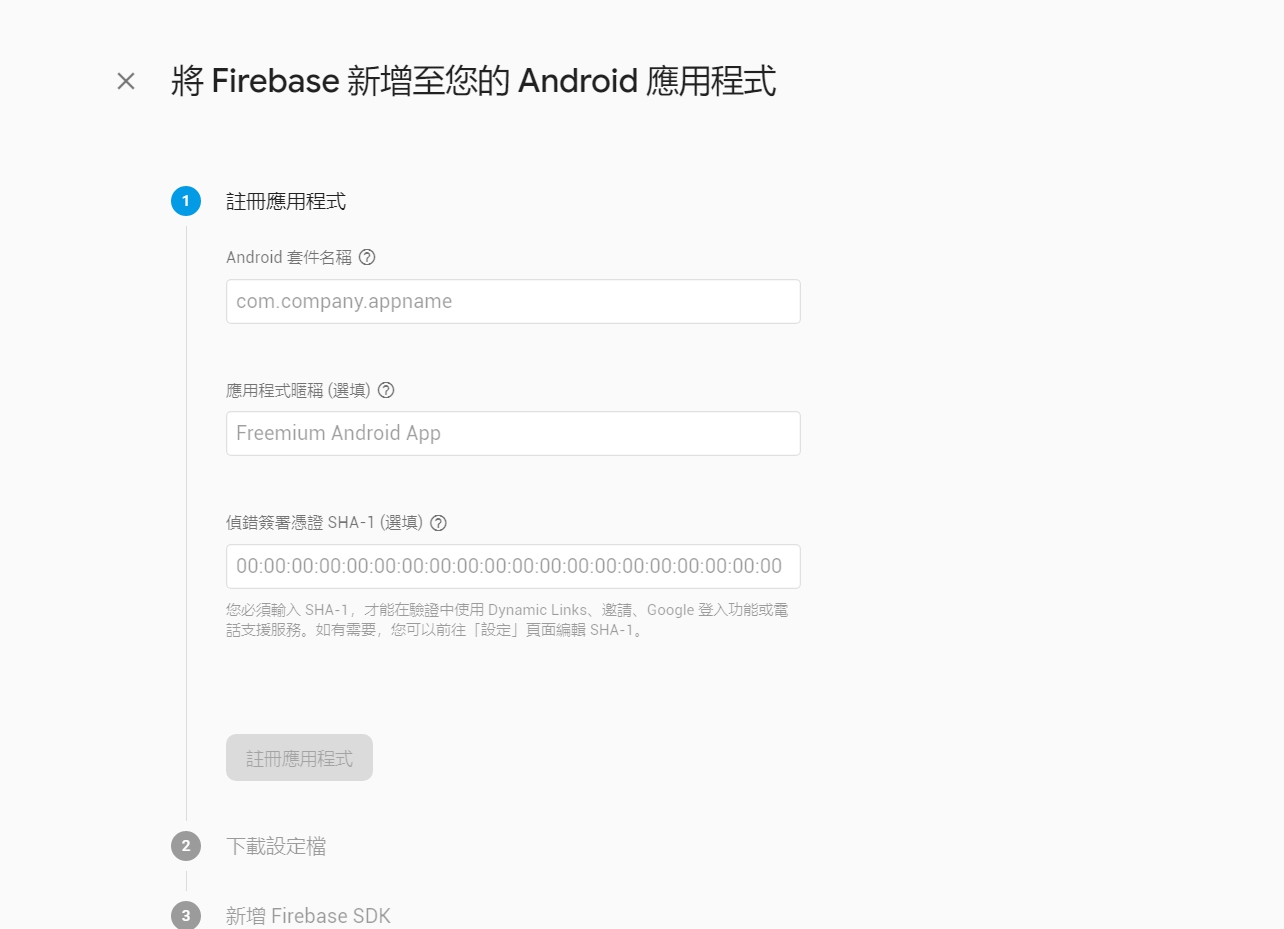
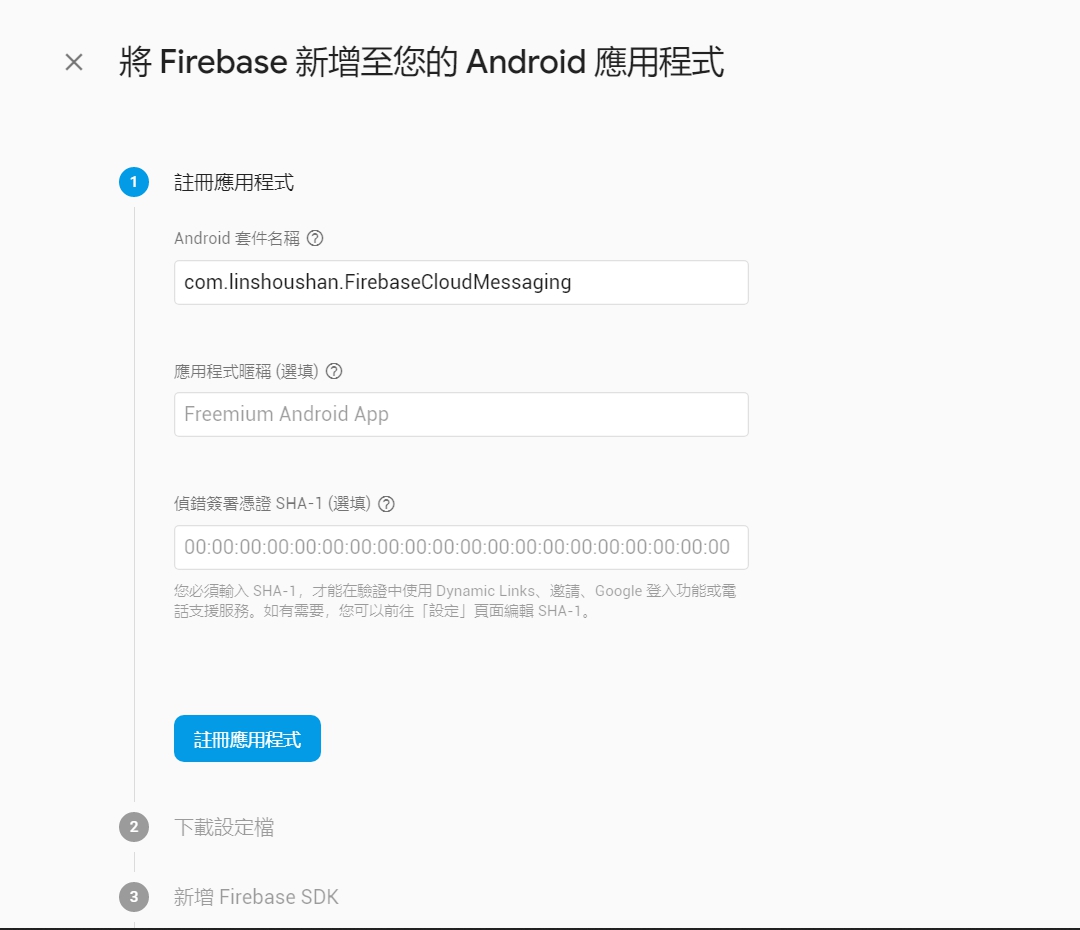
四、這邊很重要! Android的套件名稱要跟你要開發的名稱一致,這邊我輸入 com.linshoushan.FirebaseCloudMessaging,按註冊應用程式
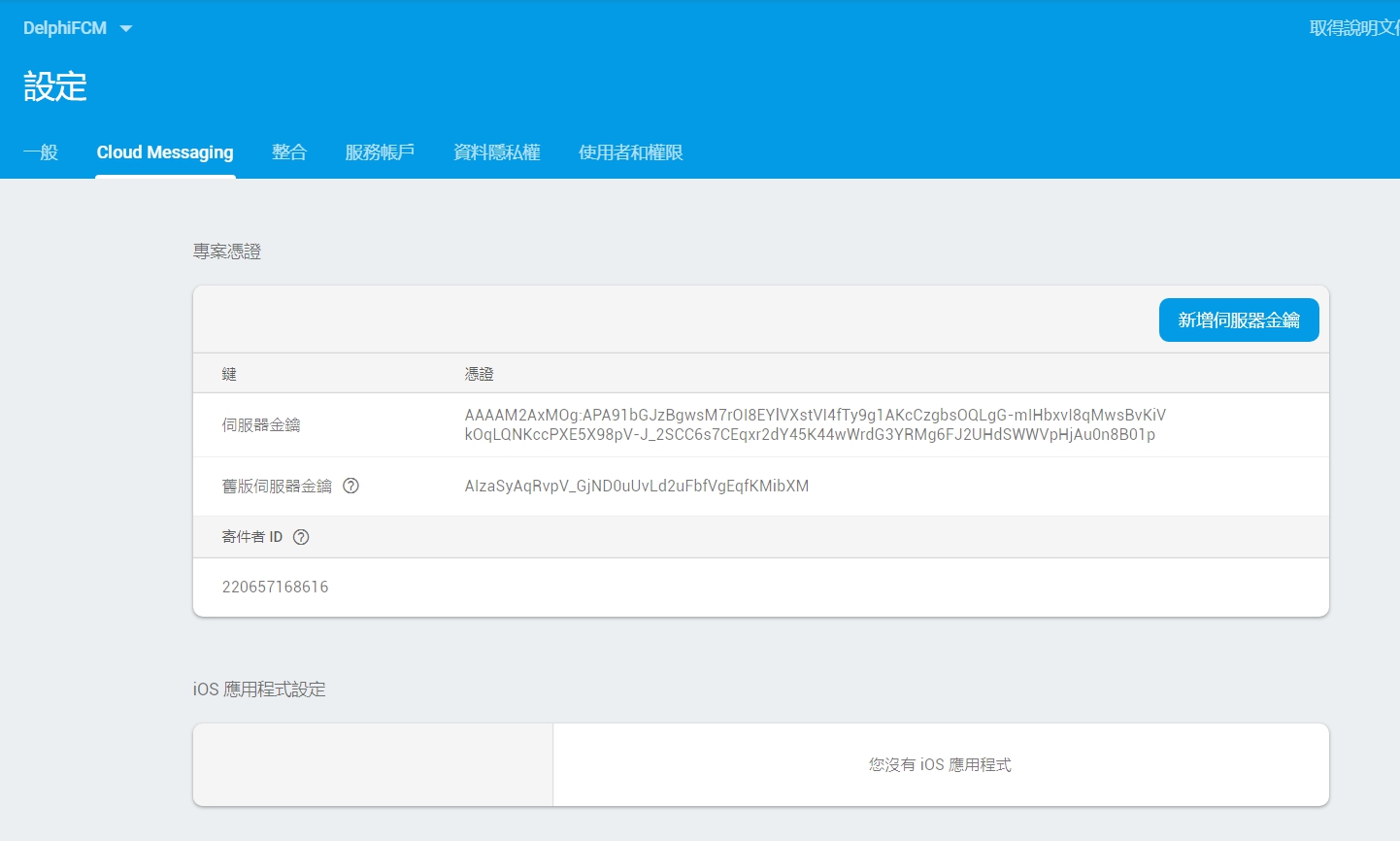
五、設定完後,進入Cloud Messagin頁面中,把寄件者ID記下來。就完成了Firebase基本的設定了
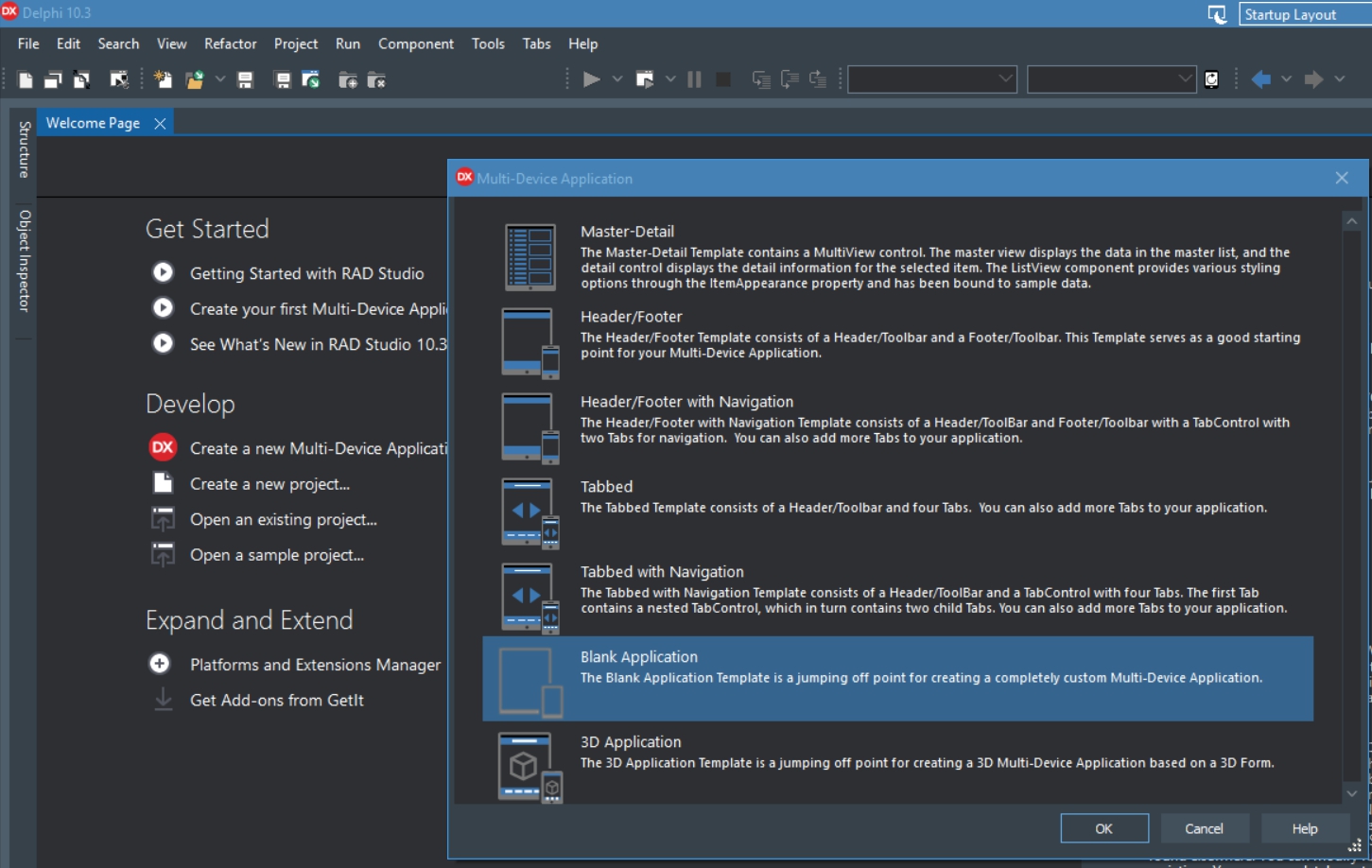
六、開啟Delphi 10.3 RIO,建立一個新的Multi-Device Application
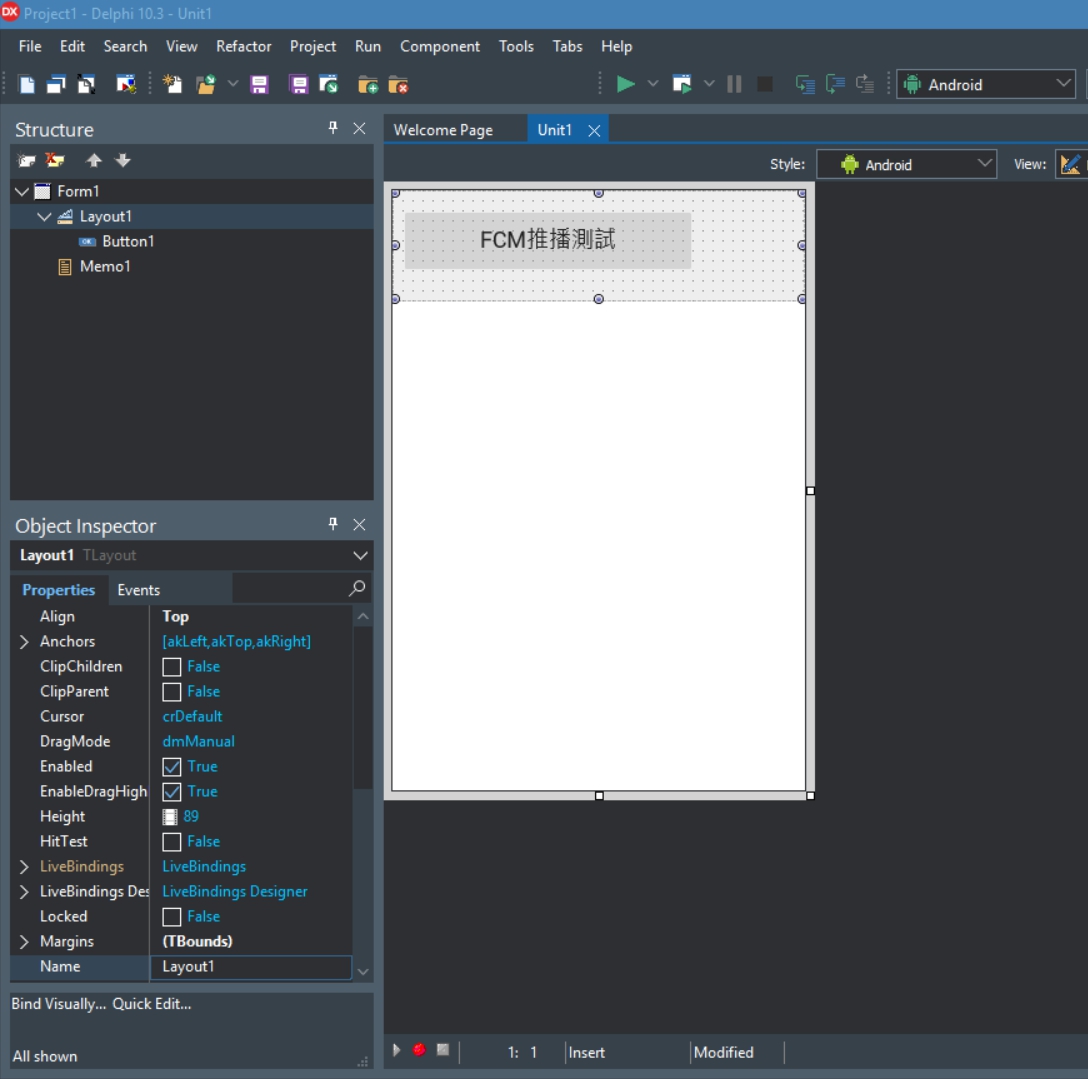
七、在畫面上拖拉出Layout、Button、Memo
八、將Target Platforms切換成Android
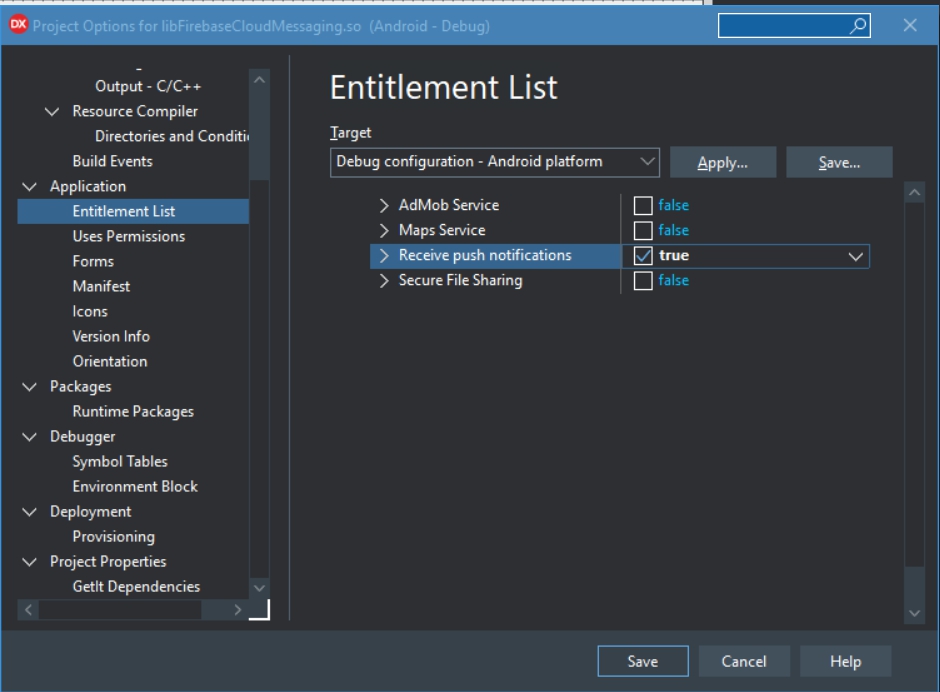
九、專案的Options中,在 Entitlement List中,把Receive push notifications 設為true
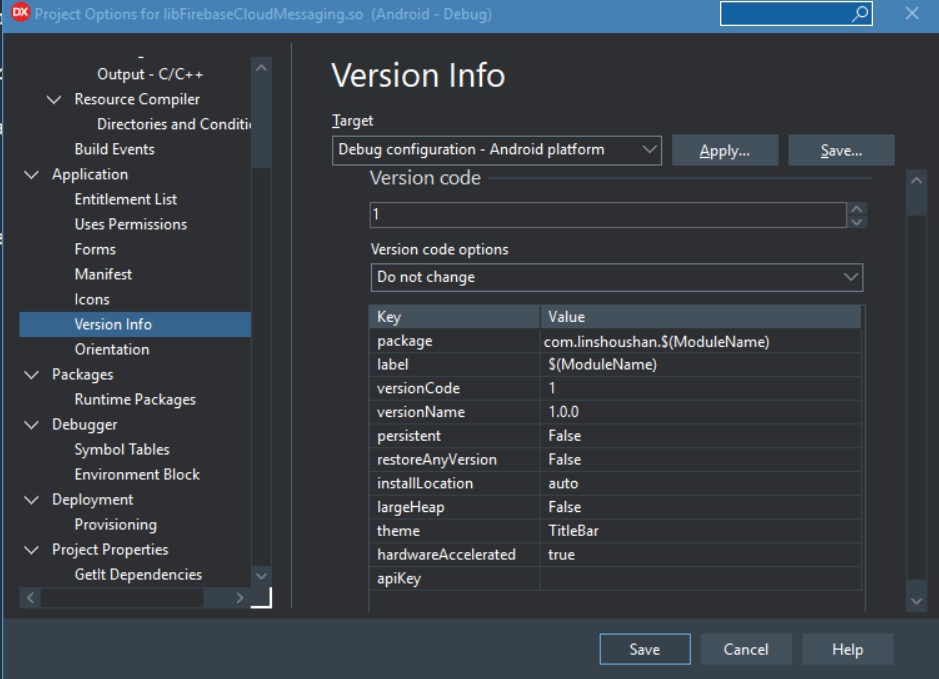
十、Version Info中,package的名稱記得改成在firebase中的設定
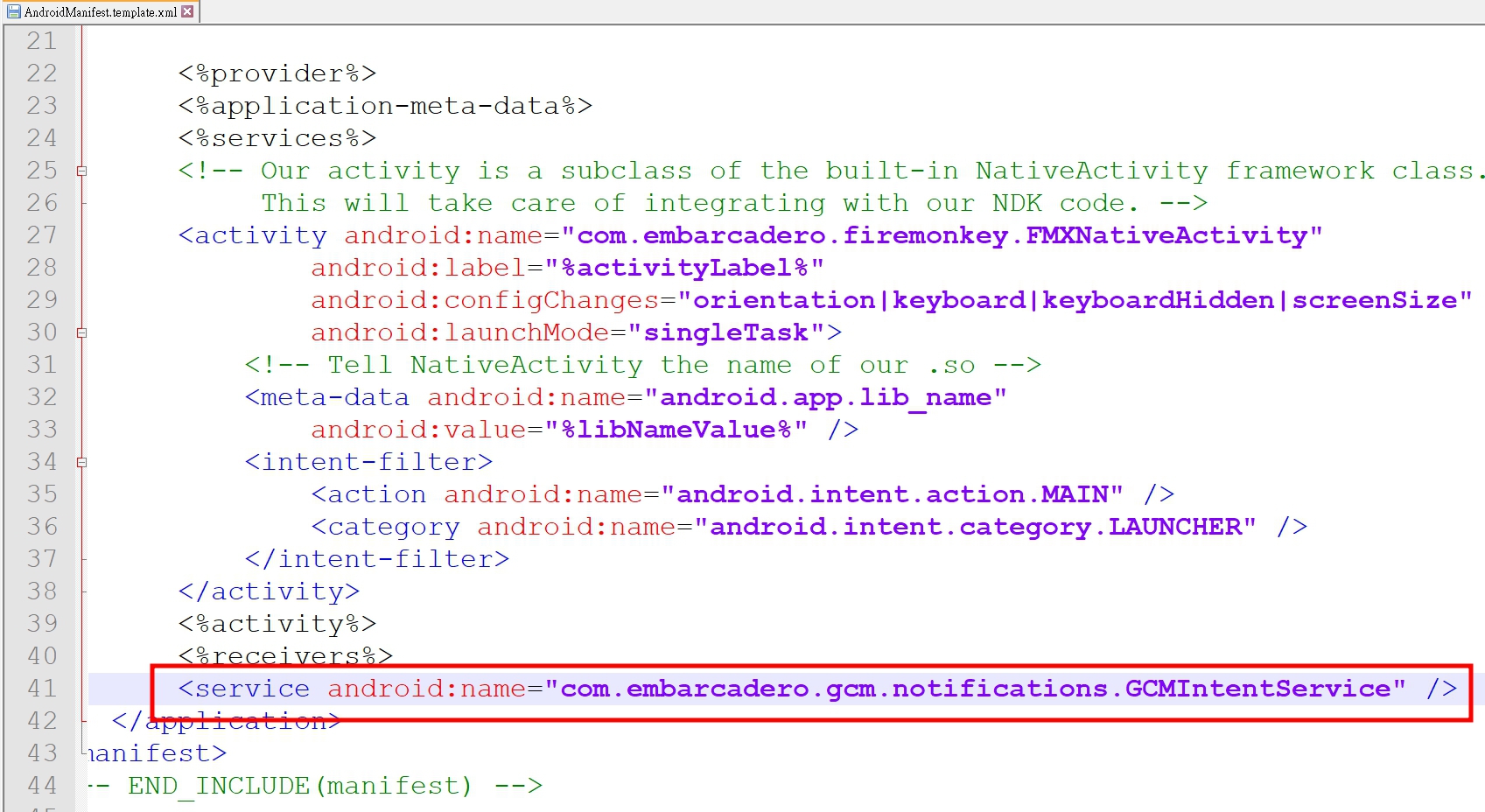
十一、修改AndroidManifest.template.xml,最後一行加上
(一開始會找不到這個檔案,壽山是先把專案存檔後,先做一次的build,然後檔案就出現了)
十二、加上相關程式碼
unit Unit1;
interface
// 1 新增use
// System.Notification, System.PushNotification, FMX.PushNotification.Android
uses
System.SysUtils, System.Types, System.UITypes, System.Classes, System.Variants,
FMX.Types, FMX.Controls, FMX.Forms, FMX.Graphics, FMX.Dialogs, FMX.StdCtrls,
FMX.Controls.Presentation, FMX.ScrollBox, FMX.Memo, FMX.Layouts,
System.Notification, System.PushNotification, FMX.PushNotification.Android;
type
TForm1 = class(TForm)
Layout1: TLayout;
Memo1: TMemo;
Button1: TButton;
procedure FormCreate(Sender: TObject);
procedure Button1Click(Sender: TObject);
private
{ Private declarations }
public
{ Public declarations }
// 2 宣告相關的變數以及事件
PushService: TPushService;
ServiceConnection: TPushServiceConnection;
DeviceId: string;
DeviceToken: string;
procedure DoServiceConnectionChange(Sender: TObject; PushChanges: TPushService.TChanges);
procedure DoReceiveNotificationEvent(Sender: TObject; const ServiceNotification: TPushServiceNotification);
end;
var
Form1: TForm1;
implementation
{$R *.fmx}
procedure TForm1.Button1Click(Sender: TObject);
begin
// 按下按鈕時打開 ServiceConnection
ServiceConnection.Active := True;
end;
procedure TForm1.DoReceiveNotificationEvent(Sender: TObject;
const ServiceNotification: TPushServiceNotification);
var
MessageText: string;
NotificationCenter: TNotificationCenter;
Notification: TNotification;
begin
// 取得通知的內容
// 全部內容可以透過 ServiceNotification.DataObject.ToString看到
MessageText := ServiceNotification.DataObject.GetValue('gcm.notification.body').Value;
NotificationCenter := TNotificationCenter.Create(nil);
try
Notification := NotificationCenter.CreateNotification;
try
Notification.Name := MessageText;
Notification.AlertBody := MessageText;
Notification.Title := MessageText;
Notification.EnableSound := False;
NotificationCenter.PresentNotification(Notification);
finally
Notification.DisposeOf;
end;
finally
NotificationCenter.DisposeOf;
end;
end;
procedure TForm1.DoServiceConnectionChange(Sender: TObject;
PushChanges: TPushService.TChanges);
begin
// 取得裝置的ID跟TOKEN
if TPushService.TChange.DeviceToken in PushChanges then
begin
DeviceId := PushService.DeviceIDValue[TPushService.TDeviceIDNames.DeviceId];
DeviceToken := PushService.DeviceTokenValue[TPushService.TDeviceTokenNames.DeviceToken];
Memo1.Lines.Add('設備ID = ' + DeviceId);
Memo1.Lines.Add('設備TOKEN = ' + DeviceToken);
end;
end;
procedure TForm1.FormCreate(Sender: TObject);
begin
// 注意要把GCMAppID改成自己的
PushService := TPushServiceManager.Instance.GetServiceByName(TPushService.TServiceNames.GCM);
PushService.AppProps[TPushService.TAppPropNames.GCMAppID] := '220657168616';
ServiceConnection := TPushServiceConnection.Create(PushService);
ServiceConnection.OnChange := DoServiceConnectionChange;
ServiceConnection.OnReceiveNotification := DoReceiveNotificationEvent;
end;
end.
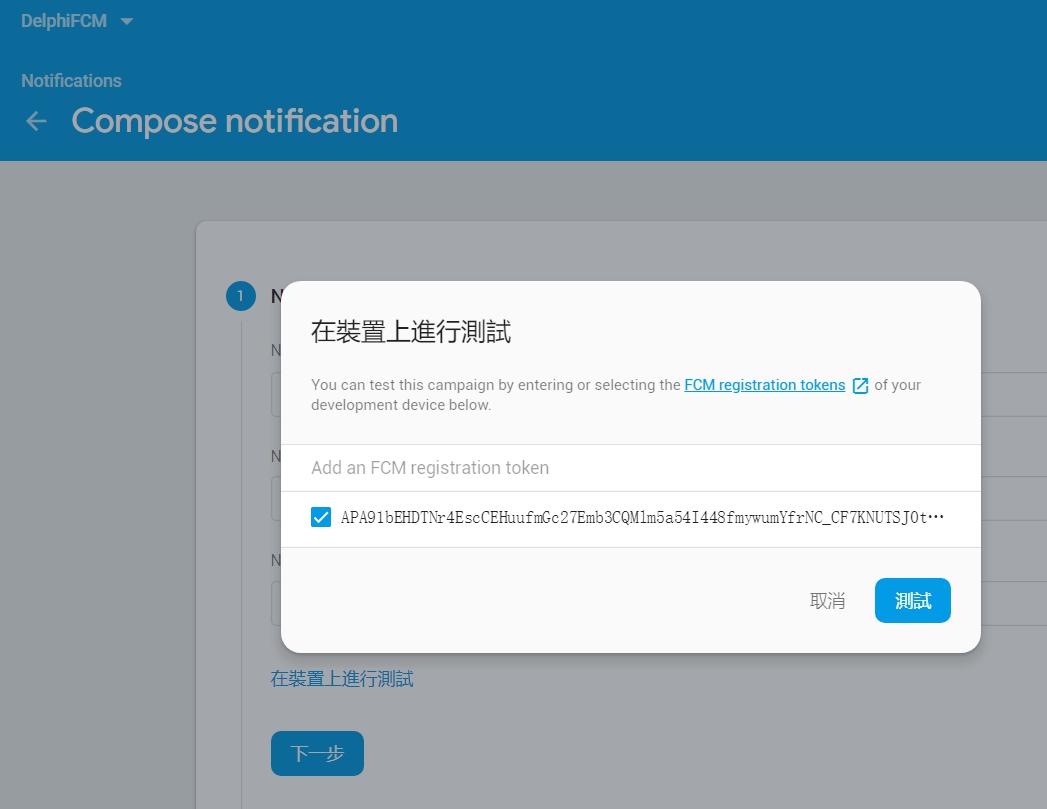
十四、記下TOKEN,回到Firebase中,選擇左邊功能列的Cloud Messageing,然後新增一筆測試訊息,將TOKEN值加入後按測試,就會收到推播訊息了。
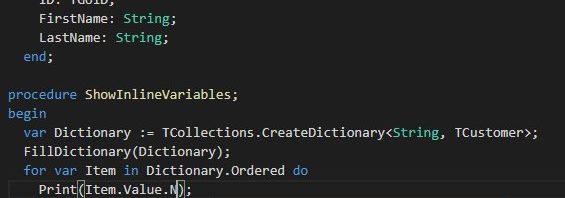
RAD Studio 10.3 代號Rio,能開發在Windows、macOS、iOS、Android和Linux Server的應用程式。

在C++的部份,加上了C++ 17 Win32支持;Delphi 的話則加上了inline variable declaration, type inference。
台灣最近銀行與第三方支付、行動支付發展越來越快,而Delphi使用indy元件時,如果處理SSL網站時不是很容易。
後來找到了ipwork的元件還不錯用。
列一下關鍵的程式
ipwhttp1 := Tipwhttp.Create(Application);
ipwhttp1.Config('CodePage=65001');
posturl:=posturl+'barcode='+sBarcode;
ipwhttp1.Post(sPaymentURL+'?'+posturl);
result:=UTF8ToString(ipwhttp1.TransferredData);
ipwhttp1.free;
另外處理像SHA/AES等加解密也很方便
function GetTokenKey(s:String):String; var ipcHash1: TipcHash; begin ipcHash1 := TipcHash.Create(Application); ipcHash1.Reset(); ipcHash1.Algorithm := TipcHashAlgorithms(haSHA256); ipcHash1.InputMessage := s; ipcHash1.ComputeHash(); result :=lowercase(ipcHash1.HashValue); ipcHash1.Free; end;
LINE Developers目前主要提供的服務有LINE Login登入、Messaging API訊息以及Clova Skill數位語音助理的功能。目前最多人使用的應該是Messaging API開發LINE 機器人服務,而LINE Login則可以與Facebook Login一樣讓使用者便利登入。以下介紹如何開發LINE Login.
一、進入LINE Developers官方網站(https://developers.line.me/en/) ,然後新增一個channel(Create new channel)。
二、我們要開發的是LINE Login,所以點選LINE Login
三、依序填入資料後按confirm確認,最後打勾同意開發者條款後按create即可
四、成功建立後,就會出現一個新的channel
五、接著要把 Channel ID以及 Channel secret記下來
六、接著在第二頁的App settings中,輸入Callback URL後按Update。
七、接著可以開始寫程式了!我們會使用的主要三個API為
Ⅰ https://access.line.me/oauth2/v2.1/authorize (登入連結)
Ⅱ https://api.line.me/oauth2/v2.1/token (取得Access Token)
Ⅲ https://api.line.me/v2/profile (取得登入者資料)
素材:Login Button(https://developers.line.me/en/docs/line-login/login-button/)
流程大致如下: